
HyperX Alloy FPS Function Keys
Updated
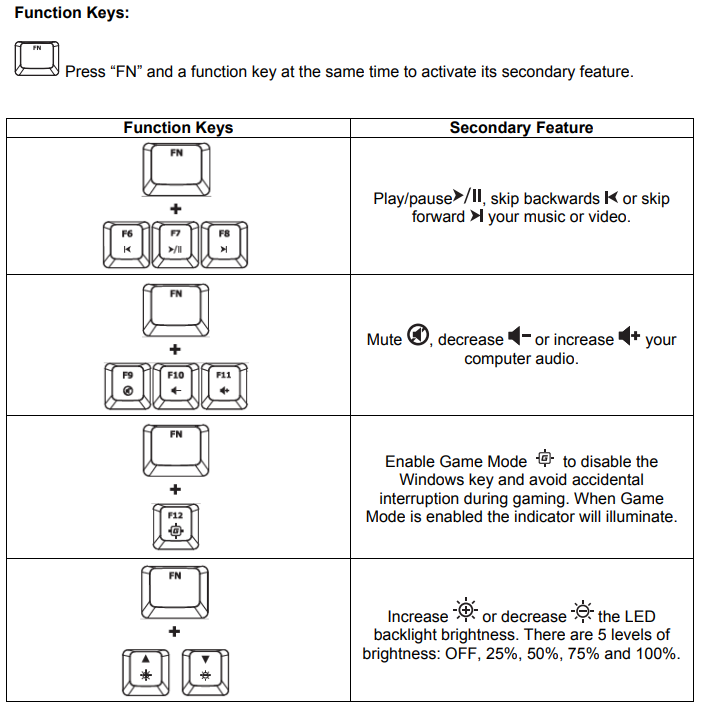
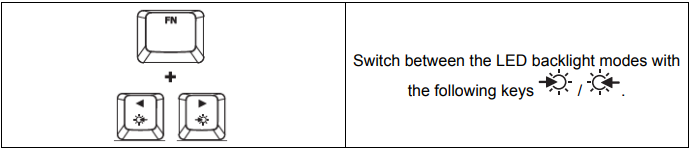
LED backlight modes:
There are six LED backlight modes: Solid ► Breathing ► Trigger ► Explosion ► Wave ► Custom.
Solid: Constant lightning (default setting).
Breathing: Slow blinking that mimics breathing.
Trigger: Individual keys will light up when pressed and slowly fade after one second.
Explosion: A lighting effect will radiate from individual keys when pressed.
Wave: Keys will light up from left to right in a wave pattern.
Custom: You can choose which keys you want to light up. Follow these steps to customize:
Switch the backlight mode to custom.
Hold FN + Right CTRL until the backlight turns off.
Press the key or keys you want to have backlight ON.
When finished, press FN + Right CTRL again to save your custom backlight profile.