
Cloud Mix Buds 2 Connecting the Low Latency USB Adapter
Updated
Cloud Mix Buds 2 Connecting the Low Latency USB Adapter
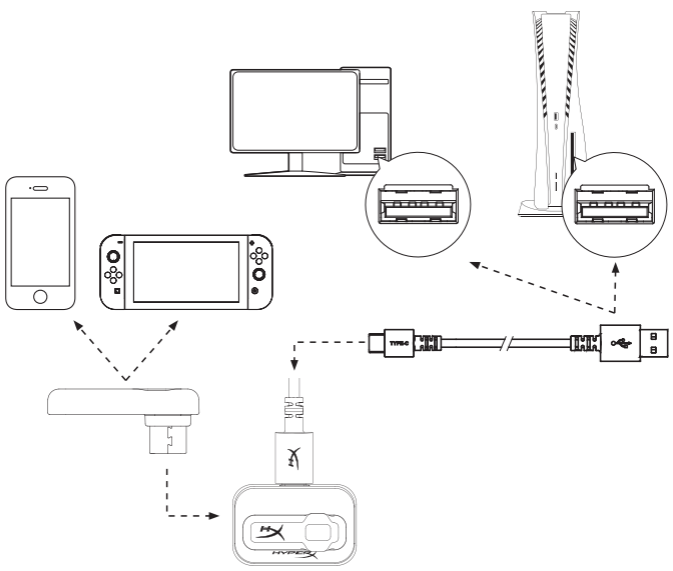
1. Connect the low latency USB adapter to your mobile device, PC, or video game console. The USB adapter status LED will begin flashing white. When not being used with a mobile device, it is recommended that the included extension adapter and USB-C to USB-A cables be used.
2. When the earbuds are powered on, they will automatically connect to the USB adapter, and the USB adapter status LED will be solid white. Cloud MIX Buds 2 will prioritize connecting to the USB adapter and will automatically switch from Bluetooth® if the low latency connection becomes available.
3. To manually switch connections between the low latency adapter and Bluetooth®, long-press the USB adapter button for 3 seconds. When earbuds are connected to a Bluetooth® device, the USB adapter status LED will show breathing blue.