
Cloud MIX Buds Setting Up With PlayStation 5
Updated
Connect the low latency adapter to the PlayStation 5 console.
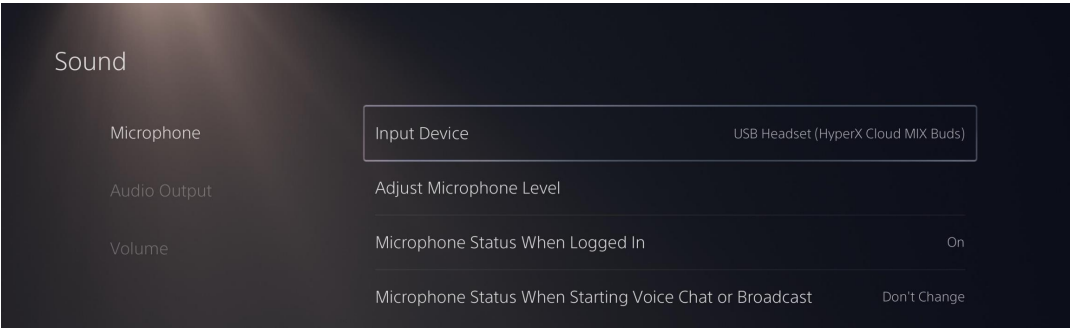
Go to the home page and select Settings > Sound
Under Microphone, set the following:
– Input Device to USB Headset (HyperX Cloud MIX Buds)
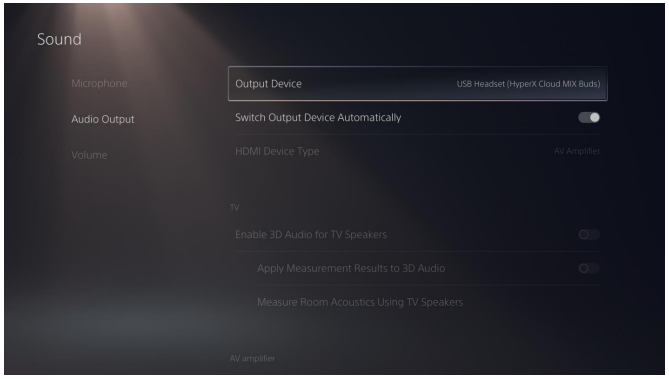
4. Under Audio Output set the following:
– Output Device: USB Headset (HyperX Cloud MIX Buds)
– Output to Headphones: All Audio
5. Under Volume, set the Headphones slider to the desired level.